January 04, 2026
What is IPTV? Complete Beginner's Guide (2026)
What is IPTV and how does it work? Learn everything about Internet Protocol Television — channels, quality, devices, and why millions are switching in 2026.
IPTV is one of the fastest-growing ways to watch television worldwide. Over 200 million people already use it, and that number is growing every year. But what exactly is IPTV, and why are so many people switching from cable and satellite? This complete guide explains everything.
What is IPTV?
IPTV (Internet Protocol Television) is a method of delivering television content over the internet rather than through traditional cable, satellite, or antenna signals. Instead of receiving broadcasts from a TV tower or satellite dish, you stream channels directly through your internet connection — just like watching a YouTube video or a Netflix show.
The key difference from services like Netflix is that IPTV includes live television channels — news, sports, entertainment, and international channels — streamed in real time, exactly like traditional TV but without the expensive cable subscription.
How Does IPTV Work?
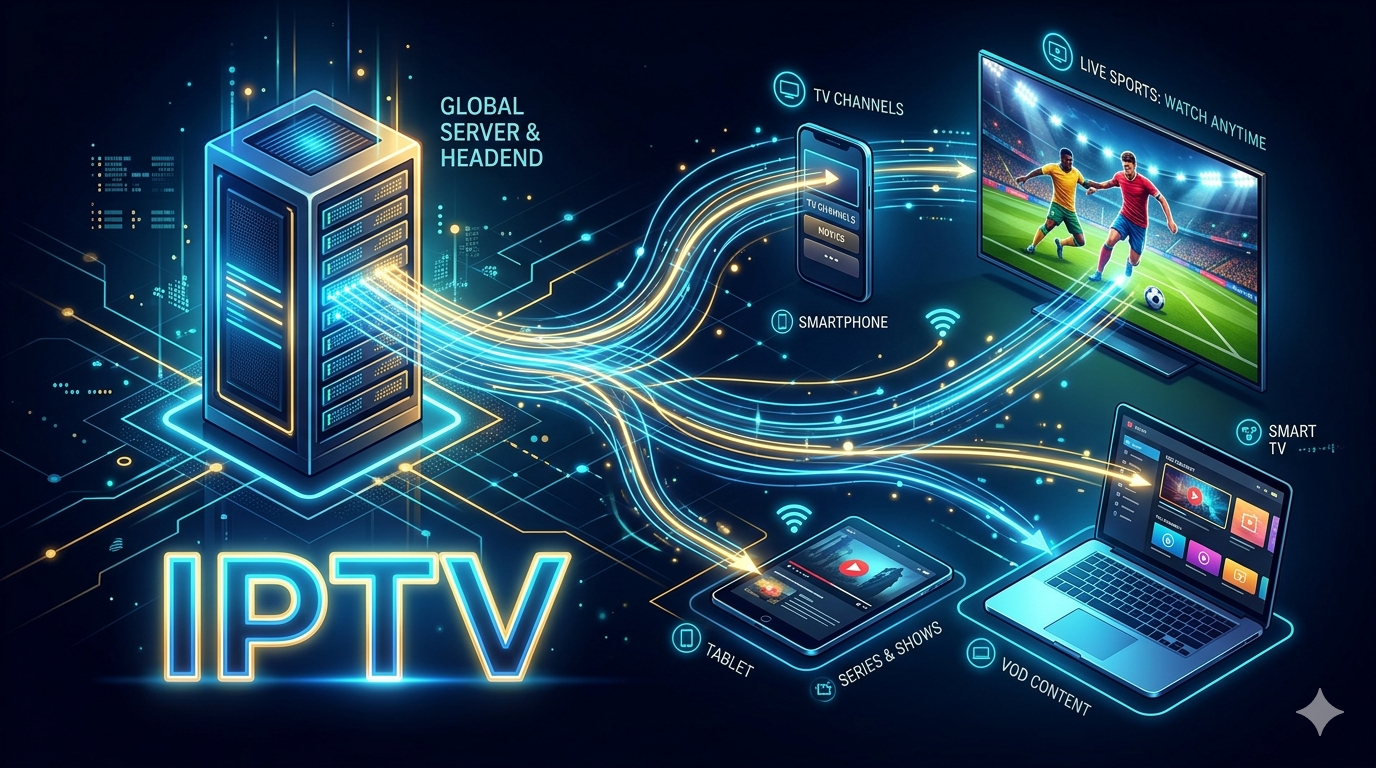
When you watch IPTV, content is delivered as a stream of data packets over the internet using the IP protocol (the same technology behind websites and email). Here's the simplified process:
- The IPTV provider receives TV signals from broadcasters worldwide
- These signals are encoded and compressed into digital streams
- The streams are stored on servers and delivered to subscribers on demand
- Your IPTV player (on phone, TV, or streaming box) decodes and displays the stream
The content is delivered either as a live stream (for live TV channels), Video on Demand (VOD) (for movies and series), or Time-Shifted TV (catch-up TV for content you missed).
Types of IPTV Services
Live IPTV
Real-time streaming of live TV channels — news, sports events, entertainment, and international channels from dozens of countries. This is the main offering of most IPTV subscriptions.
Video on Demand (VOD)
A library of movies and TV series you can watch at any time, similar to Netflix. A good IPTV service typically includes 50,000–100,000+ titles.
Catch-Up / Time-Shifted TV
Missed a show? Many IPTV services let you watch content from the past 7 days — perfect for sports events, news, or shows you forgot to watch live.
IPTV vs Traditional TV
Here's how IPTV compares to cable and satellite:
- Price: IPTV subscriptions typically cost $10–$20/month vs $80–$150/month for cable
- Channels: IPTV services offer 10,000–50,000+ channels from worldwide vs a few hundred with cable
- Flexibility: Watch on any device — TV, phone, tablet, laptop, Fire TV — anywhere in the world
- No contracts: Most IPTV services are month-to-month with no long-term commitment
- Setup: No dish or cable installation required — works over your existing internet connection
What Can You Watch with IPTV?
A premium IPTV service like Stream4k includes:
- 45,000+ live channels — news (CNN, BBC, Al Jazeera), sports (Sky Sports, beIN Sports, ESPN), entertainment, kids, documentaries
- 100,000+ movies and TV series on demand
- International content — channels from 50+ countries in Arabic, French, Spanish, Portuguese, and more
- PPV & Sports Events — UFC, boxing, F1, Premier League, NBA
- 4K Ultra HD quality on supported channels
What Devices Support IPTV?
IPTV works on virtually every modern device:
- Amazon Firestick & Fire TV
- Android TV & Google TV (Chromecast, Nvidia Shield, Sony Bravia)
- Samsung & LG Smart TVs
- iPhone & iPad (iOS)
- Android phones & tablets
- Windows & Mac computers
- MAG boxes and dedicated IPTV set-top boxes
How to Get Started with IPTV
Getting started takes less than 5 minutes:
- Choose a reliable IPTV provider with a strong server infrastructure and 24/7 support
- Pick your plan — 1, 3, 6, or 12 months, with 1–4 simultaneous connections
- Download an IPTV player — TiviMate (Firestick/Android), IPTV Smarters Pro, or Smart IPTV
- Enter your credentials (M3U URL or Xtream Codes provided by your IPTV service)
- Start watching — channels load in under a minute
Frequently Asked Questions
How fast does my internet need to be for IPTV?
For HD streaming, you need at least 10 Mbps. For 4K content, 25 Mbps or faster is recommended. Most modern home internet plans easily support this.
Can I use IPTV on multiple TVs at the same time?
Yes — most IPTV providers offer multi-connection plans (2, 3, or 4 simultaneous streams) so your whole family can watch different channels at the same time.
Is there a free trial available?
Many IPTV providers offer a free 24-hour trial so you can test channel quality and server stability before subscribing.
Start streaming today with Stream4k.
45,000+ live channels, 100,000+ movies & series, 4K quality, 24/7 support. Free 24-hour trial available.
Try Stream4k Free →
Ready to start streaming?
45,000+ channels, 4K quality, all devices. Try free for 24 hours.
Get Started — From $12/mo